
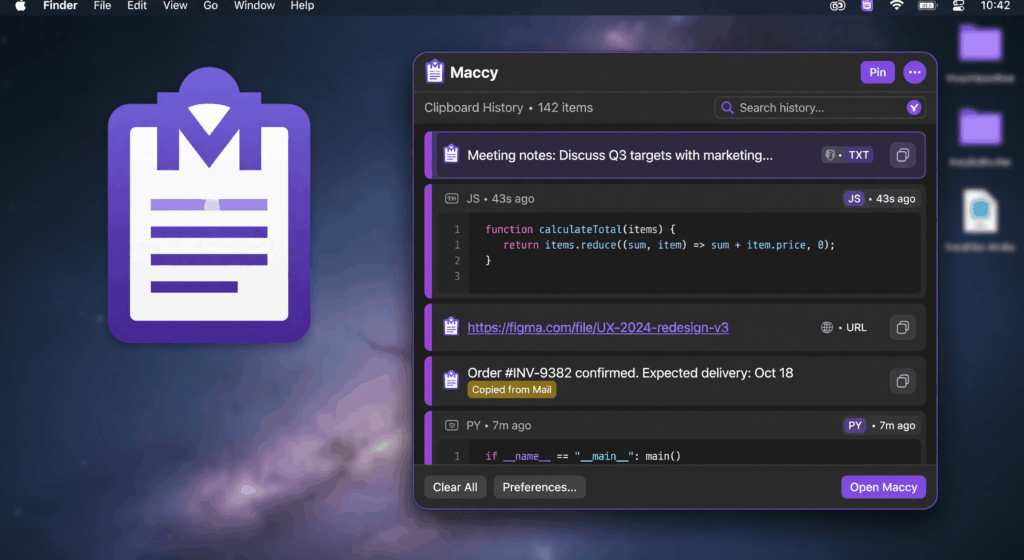
If you are a modder, a level designer, or an indie developer working on macOS, you know the “Clipboard Death Spiral.”
It happens in an instant: You find a specific hex code for a shader, a complex file path for a texture, or a specific command-line argument for your engine. You copy it. Then, you copy something else. Suddenly, your critical data is gone. You are forced to hunt through logs, re-search forums, or re-open folders.
In the high-stakes world of game development, this isn’t just a minor annoyance—it is a massive leak in your productivity.
The Problem: The “Single-Slot” Clipboard Trap
The default macOS clipboard is a relic designed for basic office tasks. It is a single-slot system that forgets everything the moment you hit Cmd+C again. For a developer, this is a disaster. You are constantly jumping between your IDE (VS Code/Xcode), your game engine (Unity/Unreal), and your asset folders. Without a persistent history, you are constantly fighting your own operating system instead of building your project.
Enter Maccy: The Developer’s Secret Weapon
Maccy is not just another “utility app.” It is a high-performance, Swift-native clipboard engine designed to act as your professional memory. While other tools are bloated with Electron-based lag, Maccy is built for speed and surgical precision.
Here is how Maccy transforms the development and modding workflow:
1. Instant Asset Retrieval (Regex Search)
Working with thousands of file paths, shader parameters, or JSON snippets? Maccy’s advanced Regex Search allows you to find exactly what you copied minutes ago. Need that specific .png path or a long string of code? Just type the pattern and hit enter. It is faster than your brain can even process the request.
2. The “Pinned” Asset Library
Modders often reuse the same hex codes, material names, or command-line arguments. With Maccy, you can Pin these items. They stay at the top of your list, acting as a permanent, searchable library of your most used dev assets. No more re-copying the same data every time you start a session.
3. Zero-Latency Workflow
When you are in the middle of a complex coding session or a high-intensity design phase, you cannot afford lag. Because Maccy is written in pure Swift, it responds instantly. It doesn’t eat your RAM, leaving all the power for your game engine, compiler, or rendering software.
4. Clean Code, Every Time
One of the biggest headaches in dev work is “dirty” pasting—bringing unwanted HTML or rich-text formatting into your IDE. Maccy’s “Paste Plain Text” feature ensures that when you copy code from a browser or documentation, it arrives in your editor clean, raw, and syntax-ready.
The Comparison: Why Maccy Wins for Pros
| Feature | Standard macOS | Generic Apps | Maccy |
|---|---|---|---|
| Speed | N/A | Slow/Laggy | Instant (<5ms) |
| Search | None | Basic | Advanced Regex |
| Asset Support | Text Only | Limited | Text, Images, Files |
| Privacy | Local | Cloud-based | 100% Local-First |
Final Verdict: Reclaim Your Creative Flow
In game development and modding, speed is the only metric that matters. Every second spent hunting for a lost snippet is a second you aren’t creating.
Don’t let a broken clipboard hold back your project. Stop searching, start building, and get the tool that works as hard as you do.
[Download Maccy Now — The Essential Tool for macOS Developers]